
Depth-First Search is often difficult for students to grasp because it is typically taught using static diagrams and abstract explanations. These approaches make it hard to understand how the algorithm moves through a graph, when backtracking happens, and why certain nodes are visited in a specific order. The goal of this project was to transform DFS into an interactive learning experience that allows users to see and control the algorithm as it runs, reducing confusion and increasing confidence.
Target Users
Undergraduate computer science students
Learners new to graph algorithms
Students who learn better through visualization and interaction rather than static text
I worked as the UX designer and backend developer on this project. I was responsible for defining the learning goals, designing the interface and interaction flow, creating early sketches and diagrams, and implementing the final interactive tool. The project was completed over an academic term in a group of 3 people.
Designing an educational tool required balancing technical accuracy with usability. DFS involves recursion and backtracking, which can happen quickly and feel unintuitive if presented all at once. A major challenge was deciding how much control to give the user without overwhelming them. I needed to slow the algorithm down, clearly communicate state changes, and ensure users always understood what was happening and why.
Storyboarding
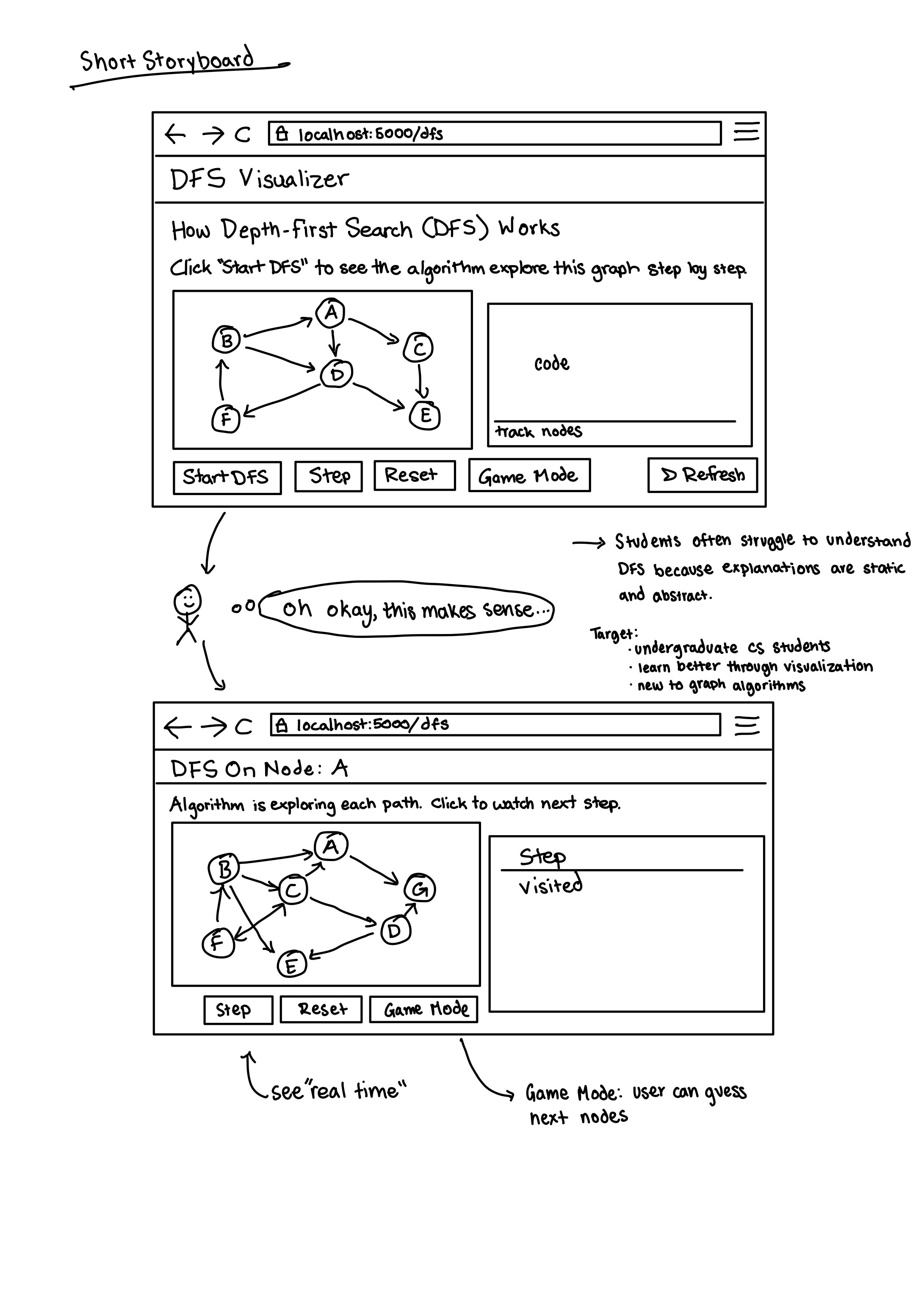
Before writing any code, I created a storyboard to explore how users would move through the interface. This helped define the layout, core controls, and progression from explanation to interaction. The storyboard focused on reducing cognitive load by keeping the interface simple and guiding users step by step.
Task Flow
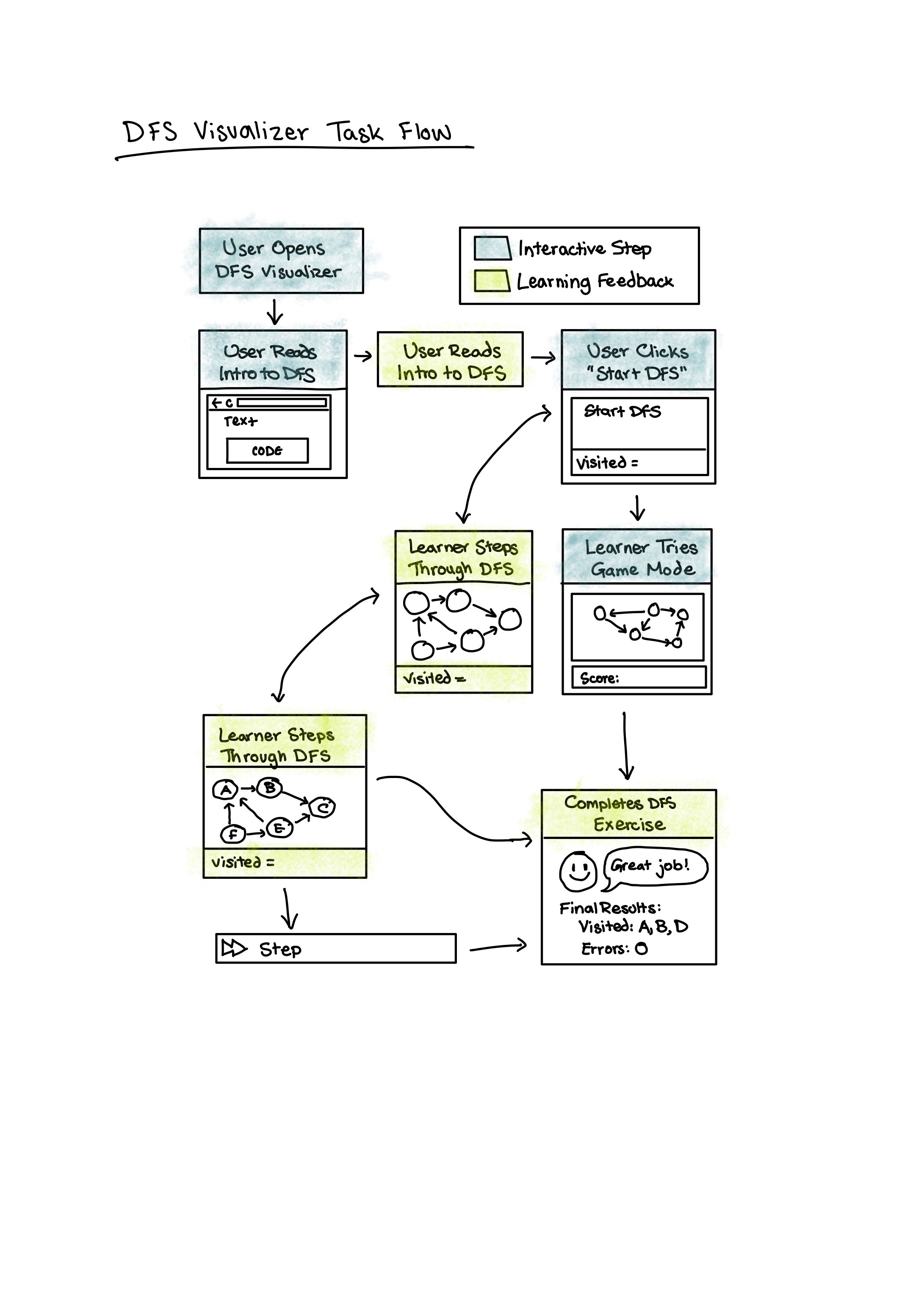
I designed a task flow that mirrors how students naturally learn:
Open the visualizer
Read a short introduction to DFS
Start the algorithm
Step through traversal at their own pace
Switch to game mode to practice predicting the next node
This flow ensured users could both observe and apply what they learned.
Key Design Choices
Step-by-step control instead of autoplay to let users control pacing
Visual highlights for visited nodes to reinforce traversal order
Game mode to encourage active learning rather than passive watching
Simple layout to keep attention on the graph, not the interface
Through designing and building the visualizer, I found that users understand DFS more quickly when they can interact with the algorithm directly rather than watching a continuous animation. Giving users control over each step helped them notice patterns like backtracking and recursion. The game mode reinforced learning by encouraging prediction and immediate feedback, which made the experience feel more engaging and less intimidating. Small UI decisions, such as clearly separating explanation, visualization, and interaction, had a large impact on clarity and user confidence.
This project taught me how to design for learning, not just functionality. I learned how important pacing, visual feedback, and interaction design are when explaining complex technical concepts. It also strengthened my ability to translate abstract ideas into intuitive interfaces and reinforced the value of sketching and task flows before implementation.
The DFS Visualizer turns an abstract algorithm into a hands-on learning experience that reduces confusion and supports different learning styles. It demonstrates how thoughtful UX design can make technical concepts more accessible, especially for students encountering them for the first time. This project reflects my interest in designing educational and interactive systems that prioritize clarity, inclusivity, and user understanding.
Some Next Steps: Add keyboard controls, adjustable speed, and a BFS comparison mode to support deeper learning.
